Visual Guide for jSign’s Revamped Signing Flow
Overview
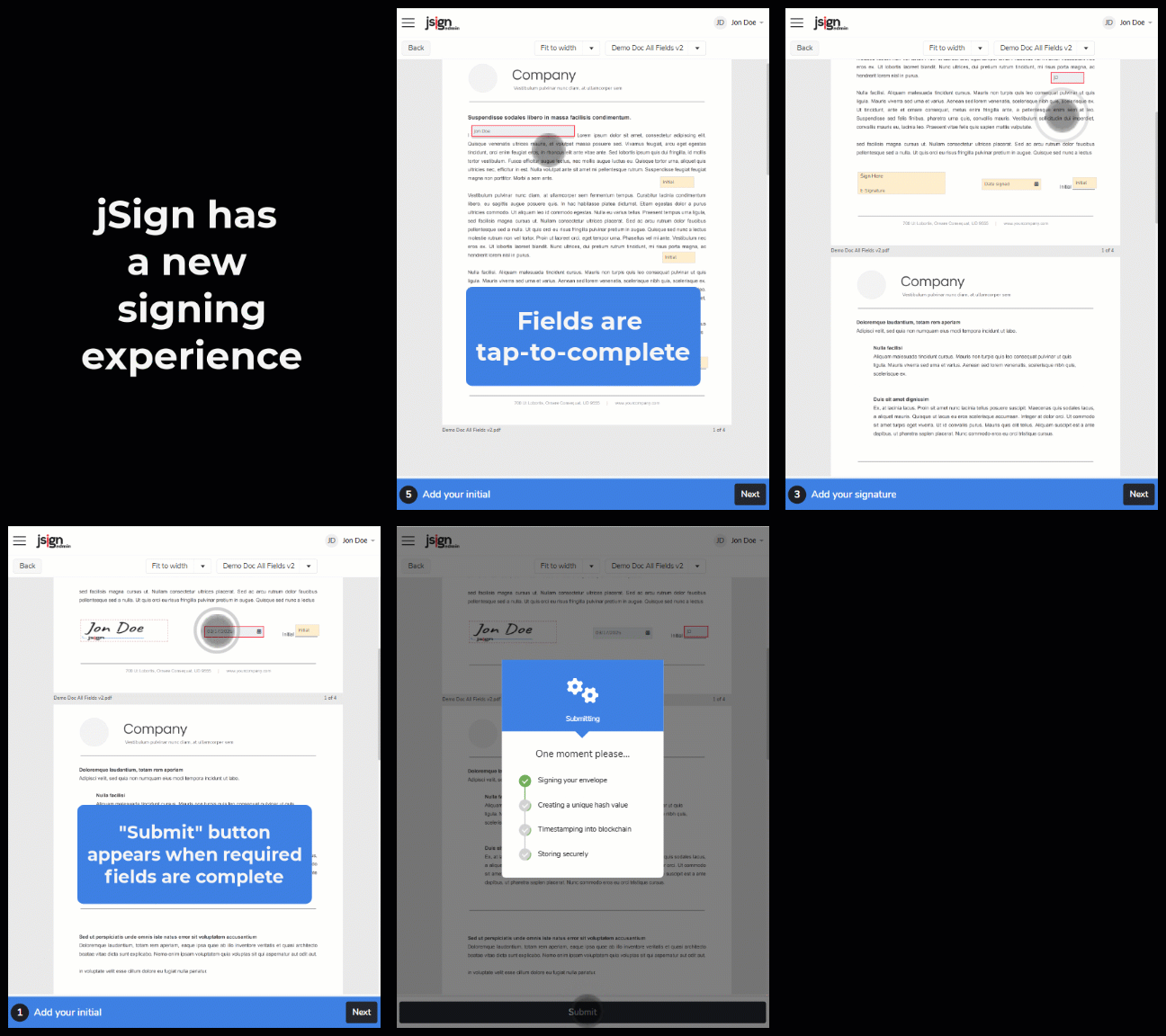
When jSign released a revamped document‑signing workflow, I created a GIF-based visual guide embedded in a Whatfix popup. The goal was to reduce confusion and highlight the enhanced flow by showing users what had improved.
🧩 The Problem
Prior to the signing process overhaul, some users expressed confusion and frustration with the signing process. Their feedback helped drive the redesign. Once the new process launched, we wanted to immediately highlight the improvements and ensure that all users, including those less familiar with signing, could understand and appreciate the changes without needing additional support. A concise, visually-driven explanation was necessary at first login to head off confusion and demonstrate the update’s value.
💡 My Solution
I designed and produced a GIF-based popup that appears immediately when users log in. The animation walks through the new signing flow step-by-step, using visual cues, pacing, and annotations to draw user attention to the improved steps.
Key elements of the implementation:
- Captured and edited the GIF using Camtasia, adding highlights and callouts to emphasize changes
- Created a Whatfix popup configured to show only to returning users who had experienced the original process
📈 Results
- The GIF popup was well received internally as a clear, low‑friction way to orient users and demonstrate improvements
- Early user feedback and informal support‑team reports indicated few questions/complaints about the updated signing flow
- The implementation helped smooth the transition for existing users
This project highlights my ability to quickly translate product changes into user‑facing content, leveraging multimedia and logic‑driven delivery to lower friction and improve comprehension.